

Best Mobile Trading Simulator With Leverage: 8 Picks Compared
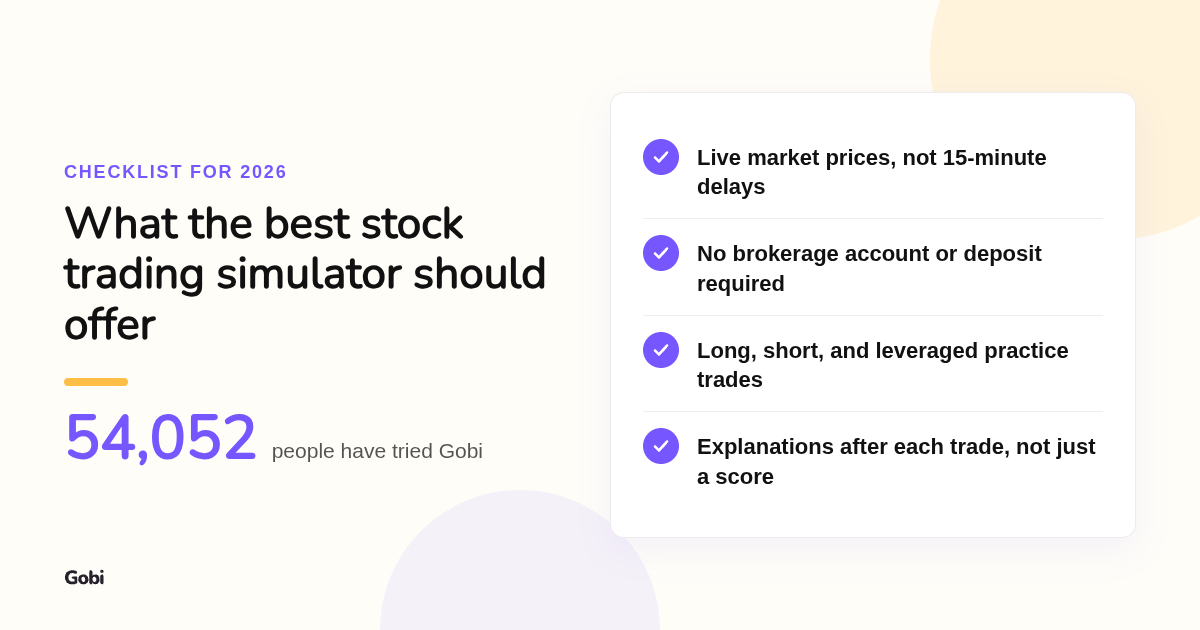
Gobi is our pick for the best mobile trading simulator with leverage: it is free, runs practice trades on real market prices for crypto, stocks, and commodities, and lets you set leverage and margin on each virtual trade from iOS or Android. Gobi is not a broker, so there are no deposits, withdrawals, or real-money orders; it exists to teach mechanics. If you need a demo tied to a specific regulated broker, MetaTrader 5, cTrader, or OANDA are the closer fit.
Key takeaways
- Gobi is free and mobile-first: 54,052 people have tried it as of Oct 17, and the app is available in nine languages: English, Spanish, French, Hebrew, Arabic, Simplified Chinese, Traditional Chinese, Korean, and Vietnamese.
- Leverage multiplies exposure, not your balance: in Gobi's own example, $200 of virtual margin at 2x gives $400 of exposure, and at 5x it gives $1,000.
- Regional caps decide what a demo can show: EU and UK retail CFD leverage is capped at 30:1 on major forex pairs, while US forex brokers cap majors at 50:1.
- Broker demos mirror live limits: MetaTrader 5, cTrader, eToro, Plus500, and OANDA inherit the leverage of the broker entity you sign up with; Webull and thinkorswim paperMoney simulate US stock margin and futures rather than CFD ratios.
- No simulator reproduces slippage or emotional pressure: treat demo results as a mechanics test, not a profit forecast.

Which is the best mobile trading simulator with leverage right now?
Gobi ranks first because it combines free virtual funds, real market prices across crypto, stocks, and commodities, configurable leverage and margin, and a Learning Journey course that teaches the mechanics behind each practice position. MetaTrader 5, cTrader, eToro, Plus500, OANDA, Webull, and thinkorswim paperMoney follow, each winning for a specific job such as broker-matched forex demos or stock and futures practice.
We ranked each app by the job it does best, not by a vague quality score. Here are the eight picks, each with one honest limit.
-
Gobi: best when you want to learn how leverage changes exposure before touching a broker. Gobi gives you virtual funds to place long and short practice trades on real market prices across crypto, stocks, and commodities, with leverage and margin configurable per trade. The order form shows amount, exposure, leverage, and an order check before you confirm, and you can set stop loss and take profit levels on each trade. It is free with no deposit, and 54,052 people have tried it as of Oct 17. Honest limit: Gobi is an educational simulator, not a broker, so you cannot convert a practice account into a live one, and Gobi notes that market data can occasionally be delayed or interrupted.
-
MetaTrader 5: best when you want the exact terminal your future forex or CFD broker uses. MetaQuotes publishes the MT5 app free on iOS and Android, and most retail forex brokers offer an MT5 demo login. Leverage in demo is set by the broker server, so what you practice matches what that broker allows live. Honest limit: demo expiry, spreads, and asset lists all depend on the broker, and the interface feels dated next to newer apps.
-
cTrader: best when you want depth of market and cleaner mobile charting for forex and CFDs. Spotware's cTrader app is free, and broker demos include depth of market pricing that many MT5 demos do not expose. Leverage again follows the broker entity. Honest limit: fewer brokers support cTrader than MetaTrader, so your preferred broker may not offer it.
-
eToro Virtual Portfolio: best when you want to practice CFD leverage alongside social and copy trading. eToro gives new accounts a $100,000 virtual portfolio that switches on inside the same mobile app as the live account; confirm the current amount on eToro's site. Leverage is capped by your regulatory region. Honest limit: US users do not get CFDs or leveraged trading on eToro, and the virtual portfolio requires a full account signup.
-
Plus500: best when you want a CFD demo that mirrors a regulated broker's caps exactly. Plus500's demo is free, runs inside the same iOS and Android app as live trading, and applies the same leverage limits as your region's entity, such as 30:1 on major forex pairs for EU and UK retail clients. Honest limit: Plus500 is CFD-only in most regions, so you never own the underlying stock, and its US entity offers futures rather than CFDs.
-
OANDA: best for US-based forex practice under the 50:1 CFTC cap. OANDA's free practice account runs on its own mobile app and on MT4 or MT5 logins, and its US entity applies the CFTC maximum of 50:1 on major pairs. Honest limit: the product is forex-centred, with index and commodity CFDs only outside the US, and no stock trading.
-
Webull Paper Trading: best for stock and options practice with real-time charts. Webull's paper trading is a free toggle inside its live app on iOS and Android, with real-time quotes and the same charting tools as the funded account. Honest limit: it does not offer forex or CFD-style leverage, so margin practice is limited to standard US stock and options rules.
-
thinkorswim paperMoney: best for futures and options leverage with professional-grade tools. Charles Schwab's thinkorswim mobile app includes a paperMoney mode with a $100,000 virtual balance covering stocks, options, futures, and forex; confirm the current amount with Schwab. Honest limit: you need a Schwab login, and real-time data in paperMoney may require a funded account, so check Schwab's policy before relying on it.
Here is the same list in one view.
| Option | Best for | Pricing or format | Standout limit |
|---|---|---|---|
| Gobi | Learning leverage and margin mechanics on crypto, stocks, commodities | Free; virtual funds; iOS and Android; stop loss and take profit | Simulator only, no path to a live account |
| MetaTrader 5 | Matching your future forex or CFD broker's terminal | Free app; demo via broker login | Demo expiry and leverage depend on broker |
| cTrader | Depth of market and clean mobile charting | Free app; demo via broker login | Fewer supporting brokers than MT5 |
| eToro Virtual Portfolio | CFD leverage plus social and copy trading | Free with account; $100,000 virtual (confirm) | No CFDs or leverage for US users |
| Plus500 | CFD demo with region-exact leverage caps | Free demo inside live app | CFD-only; no stock ownership |
| OANDA | US forex practice at up to 50:1 | Free practice account | Forex-centred; no stocks |
| Webull Paper Trading | Stock and options practice with real-time charts | Free toggle inside live app | No forex or CFD leverage |
| thinkorswim paperMoney | Futures and options with pro tools | Free with Schwab login; $100,000 virtual (confirm) | Real-time data may need a funded account |
What does a leverage simulator actually do with virtual money?
A leverage simulator gives you a virtual balance, streams real or delayed quotes, and lets you open positions larger than that balance by posting margin. Gains, losses, fees, funding, and liquidation are calculated as they would be live, but nothing is owed or paid. Most apps let you reset the balance when it is exhausted.
The core idea is exposure. Leverage does not add money to your account; it multiplies how much market movement your margin is exposed to.
Gobi's guides use a simple illustration. Picture two virtual long positions, each with $200 of margin. At 2x the exposure is $400; at 5x it is $1,000. A 2% price drop produces a price-related loss of about $8 and $20 respectively, before costs.
Those are illustrative figures, not live quotes or a suggested trade. They show why the same market move hurts five times more at 5x, and why liquidation arrives sooner.
Leverage alone does not tell you the liquidation price. Maintenance margin, fees, and funding payments all shift it, which is why Gobi's perpetual futures paper trading page walks through margin, funding, and liquidation on perpetual contracts step by step.
In Gobi, prices are live while balance, orders, profit, loss, fees, and funding are virtual. Simulation, demo account, and paper trading all mean the same learning goal here.
How should you choose a mobile simulator for leveraged practice?
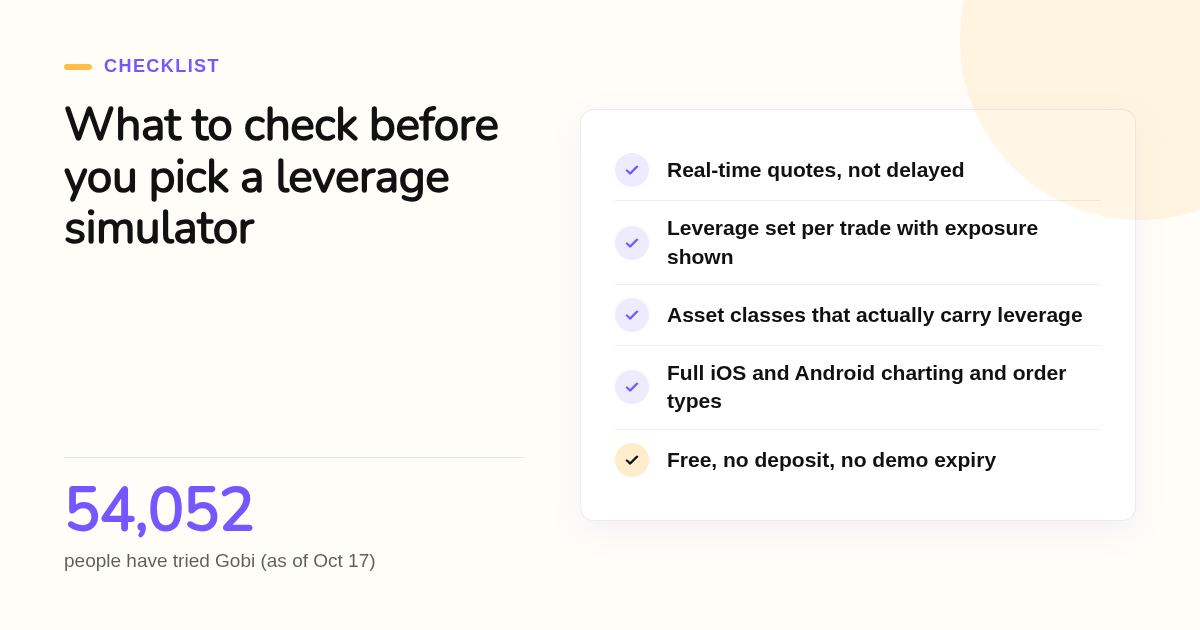
Check five things: whether quotes are real-time or delayed, whether you can set leverage per trade and see the resulting exposure, which asset classes carry leverage, how complete the iOS and Android app is for charting and order types, and whether the demo is free without expiry or deposit. Weight the first two heaviest.
Real-time versus delayed data matters more with leverage than without it. A 15-minute delay on a 20x position hides exactly the moves that trigger margin calls.
Next, look at how the app presents exposure. If the order screen shows only lot size or notional value, beginners routinely misjudge how much they are risking. Gobi prints amount, exposure, and leverage on the same order form before you confirm.
Then check the demo's architecture. MetaTrader 5 and cTrader use a demo login inside the same app, while Webull, Plus500, eToro, and thinkorswim use a toggle inside the live app. Gobi is simulation-only, so there is nothing to switch and no live account sitting one tap away.
Asset coverage decides what leverage you can practice. Forex and CFD demos carry the highest ratios; stock paper trading usually mirrors US margin rules; crypto perpetual simulators add funding payments that spot stock simulators never show.
Finally, confirm cost and expiry. Many broker demos expire after a set period unless you reopen them or fund an account, so read the demo terms. Gobi provides virtual funds with no deposit through its Get Gobi page, and its pages state that prices are live while balance, orders, fees, and funding are virtual, so you learn to read every cost line before any of it is real.
A practical decision rule: if you plan to trade crypto perpetuals, pick a simulator that models funding; if you plan to trade forex with a specific broker, use that broker's demo; if you are still deciding, start with a free cross-asset simulator.
Why does maximum leverage differ by region and asset class?
Regulators cap retail leverage to limit losses. In the EU and UK, retail CFD leverage tops out at 30:1 on major forex pairs, 5:1 on stocks, and 2:1 on crypto. US forex brokers cap majors at 50:1 under CFTC rules, and US stock margin is 2:1 overnight under Regulation T.
The European Securities and Markets Authority introduced these retail CFD limits in 2018, and the UK's Financial Conduct Authority made equivalent restrictions permanent in 2019. Australia's ASIC adopted similar caps in 2021. You can read the current European measures on the ESMA website.
In the United States, retail forex leverage is set by the Commodity Futures Trading Commission, with a 50:1 ceiling on major currency pairs and 20:1 on others. Stock margin is separate: Regulation T requires 50% initial margin, which is why US stock demos show 2:1 rather than 30:1.
This is the gap most simulator roundups ignore. A demo at 500:1 teaches habits you cannot use if your real account will be capped at 30:1, and it makes positions look safer than they are.
Decision rule: practice at or below the cap your region will allow you live. If you are unsure, practice at 2x to 5x, which stays inside every major regime.
Is leveraged demo trading realistic, and when should you go live?
Demo trading is realistic for mechanics and unrealistic for execution and psychology. Fills arrive at the quoted price with no slippage, liquidity is assumed infinite, and losing virtual money does not hurt. Move to a small live account only after you can explain every practice trade, survived a drawdown without doubling leverage, and have logged results across several weeks.
Gobi is explicit about this. Its own materials state that practice helps you recognise the mechanics, separate costs, and review decisions, but cannot replicate full liquidity, execution conditions, or real emotions, and that virtual profits do not predict future returns.
The realism gaps are consistent across every app on this list. Demos fill market orders instantly at the displayed price, rarely model requotes, and never charge the overnight financing or funding you would pay on a real leveraged position unless the simulator is built to do so.
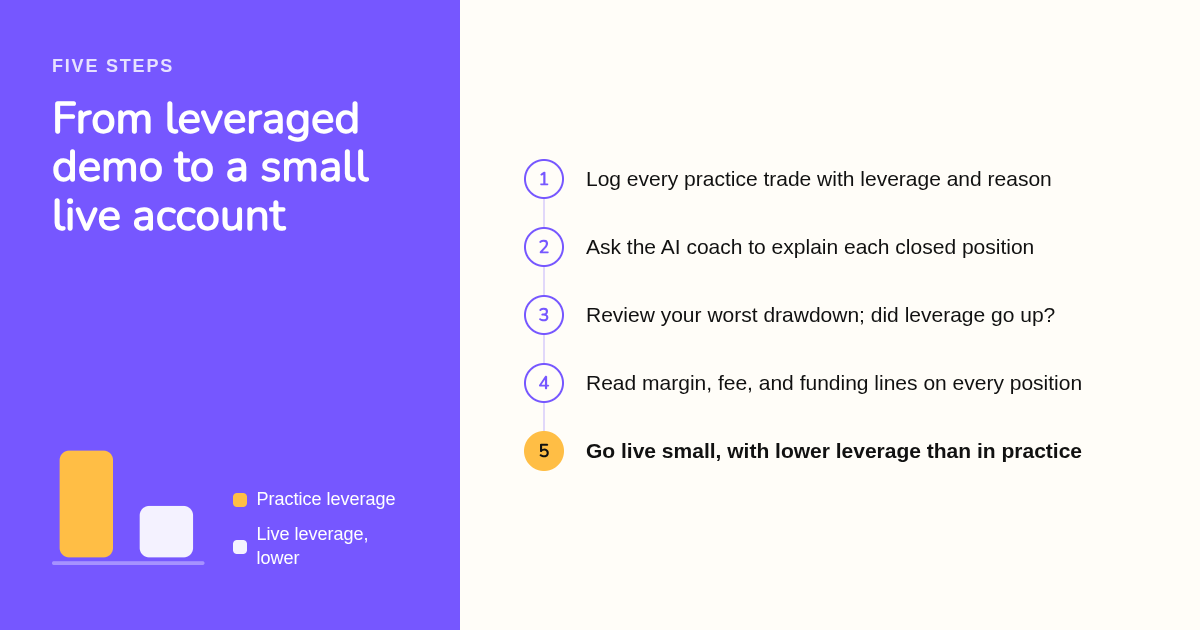
A sensible transition plan has five steps. First, keep a written log of every practice trade with the leverage used and the reason for entry. Second, after each close, write down an explanation of the result that you can check against the position screen.
Third, review your worst run of losses and confirm you did not raise leverage to recover. Fourth, read the margin, fee, and funding lines on every position so nothing on a live statement surprises you. Fifth, if you go live, start with an amount you can lose entirely and with lower leverage than you used in practice.
Peer feedback helps here too. Gobi includes a community feature called Crew for learning alongside other practice traders, and its community guidelines make clear the app is simulated-first with no real money, ever.
How did we compare these eight simulators?
We compared the published app store listings, demo and practice account pages, and leverage or margin disclosures of each platform. We checked which asset classes carry leverage in demo mode, whether the demo is free and non-expiring, and how the mobile app handles charting and order entry. We did not place live trades or test fills.
Pricing, virtual balances, and leverage caps change, so confirm each vendor's current terms before you choose. Our Gobi figures come from Gobi's own pages, and the regional caps come from the regulators linked above.
How do you get started with Gobi?
Download Gobi from the App Store or Google Play, open the practice account, and place a first virtual trade with a small leverage setting such as 2x. Read the exposure line on the order form before confirming, and set a stop loss and take profit so you can see how planned exits work. There is no deposit and no real-money account to open.
Ready to see leverage in action without risking a cent? Get Gobi on iOS or Android and place your first practice trade today.
What do people also ask?
What is the best leverage to use in trading?
For a beginner, 2x to 5x is the sensible range, because it stays inside every major regulatory cap and keeps liquidation far from the entry price. Gobi's own example shows the difference: $200 of margin at 2x gives $400 of exposure, while 5x gives $1,000, so a 2% drop costs about $8 versus $20 before costs.
What is the best stock market simulator app?
For pure US stock and options practice, Webull Paper Trading and thinkorswim paperMoney are the strongest mobile options because they run real-time charts inside the live app. For learning leverage across stocks, crypto, and commodities with a structured Learning Journey course, Gobi is the better starting point, and it is free with no deposit.
Is demo trading free?
Usually yes, but with conditions. Broker demos such as MetaTrader 5, cTrader, Plus500, and OANDA are free but often expire after a set period or require an account signup. Gobi is free, needs no deposit, and has no live account attached, because it is an educational simulator rather than a broker.
Which broker has the best leverage?
It depends on where you live. EU, UK, and Australian retail clients are capped at 30:1 on major forex pairs, US forex traders at 50:1, and offshore brokers advertise 500:1 or more. Higher is not better for a beginner, since the same price move hits a 500:1 position far harder than a 5:1 one.
Does Gobi use real-time market data?
Yes. Gobi's practice trades execute on real market prices for crypto, stocks, and commodities, while your balance, orders, fees, and funding are virtual. Gobi notes that data can occasionally be delayed or interrupted, so check the current screen before confirming a practice order. Gobi is not a brokerage and never handles real money.
Related Articles


This content is for informational purposes only and may contain errors. Please contact us to verify important details.