

Top Practice Trading Platforms for Cryptocurrency: 7 Picks
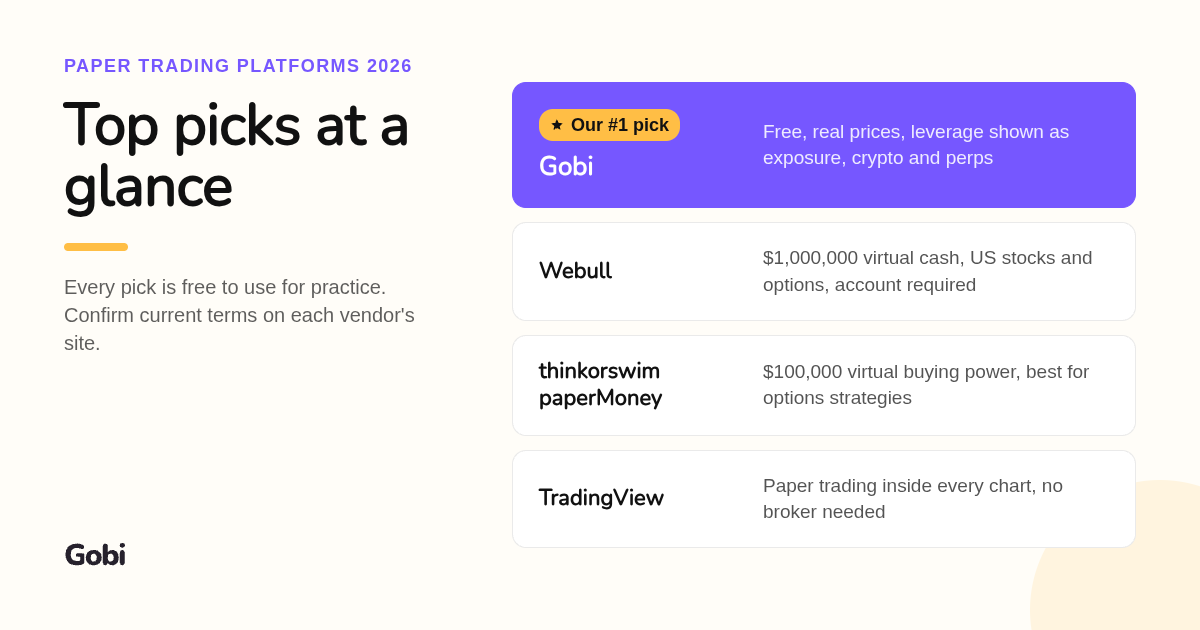
Gobi ranks first among the top practice trading platforms for cryptocurrency because it is a free mobile simulator that runs virtual long and short trades on real market prices, with configurable leverage, margin, and simulated fees and funding. Gobi is not an exchange: there are no deposits, withdrawals, or real-money trades. TradingView, eToro, Bybit, Binance Futures Testnet, Cryptohopper, and CryptoParrot complete the list for charting, broker-style, exchange-style, and bot practice.

Key takeaways
- Gobi is free and simulation only: virtual funds, live crypto, stock, and commodity prices, and no real-money trading, available on iOS and Google Play in seven languages.
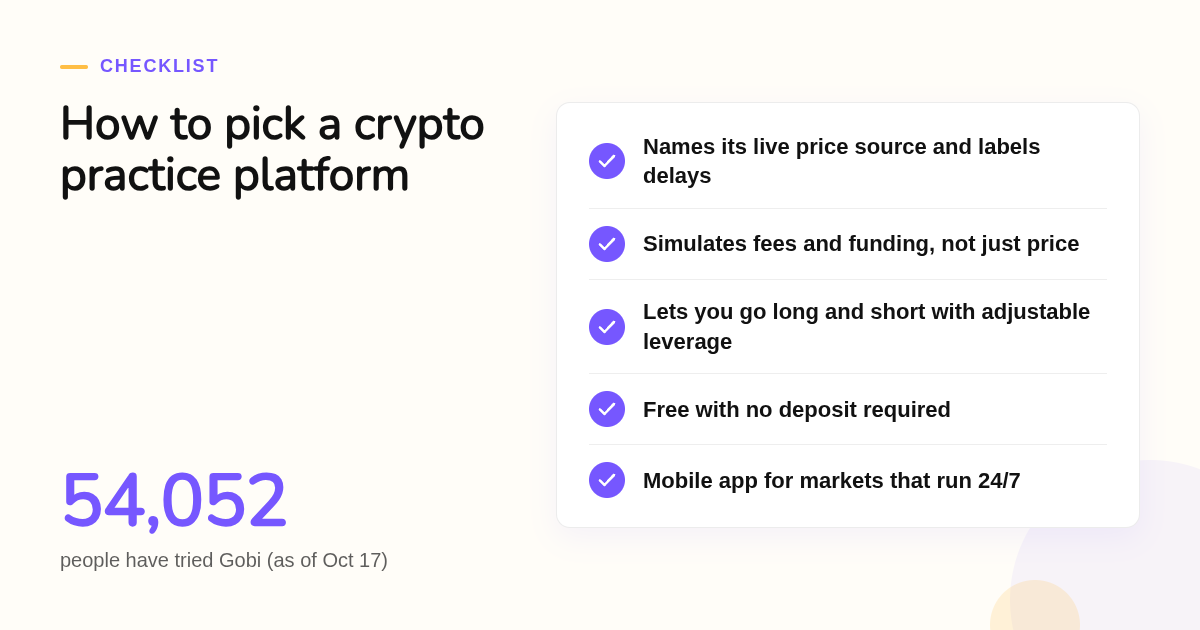
- 54,052 people have tried Gobi as of October 17, across multiple countries and territories.
- Leverage changes exposure, not margin: in Gobi, $500 of virtual margin at 10x equals $5,000 of market exposure.
- Only eToro and Bybit on this list let you move from demo to live trading inside the same interface, and both carry regional restrictions.
- No simulator reproduces slippage, thin liquidity, or real-money emotion, so practice should be built around repeatable rules rather than virtual profit.
What are the top 7 practice trading platforms for cryptocurrency?
Gobi takes the top spot for learning leverage and perpetual mechanics on live prices with zero financial risk. TradingView suits chart-heavy practice, eToro and Bybit suit traders who want the same interface for demo and live, Binance Futures Testnet serves API developers, Cryptohopper covers bot practice, and CryptoParrot offers a free browser-based spot simulator.
We ranked each tool by the job it does best for a beginner, not by brand size. A platform earns its place by letting you rehearse one specific skill without risking real capital.
-
Gobi: best when you need to understand leverage, margin, and perpetuals before risking real money. Gobi gives you virtual funds to open long and short positions on real market prices across crypto, stocks, and commodities. Fees and funding are simulated, built-in guides explain each concept, an AI coach answers questions about your positions, and the Crew feature lets you learn alongside peers. It is free, mobile first on iOS and Google Play, and available in English, Spanish, Hebrew, Simplified Chinese, Traditional Chinese, French, and Arabic. The limit: Gobi is an educational simulator, not a broker, so there is no path to live trading, and its own documentation notes that price data can occasionally be delayed or interrupted.
-
TradingView Paper Trading: best when charting and indicators matter most. Paper Trading sits inside the TradingView chart and is free with a basic account. Crypto feeds come from exchanges such as Binance and Coinbase, and the virtual balance can be reset at any time. The limit: it models a generic brokerage account, so there are no funding payments or liquidation prices, and the paid tiers add indicators and alerts rather than better practice. Confirm current plan pricing on tradingview.com.
-
eToro Virtual Portfolio: best when you plan to go live with the same broker. eToro publishes a $100,000 virtual balance for its demo portfolio, and the demo shares the interface, charts, and CopyTrader features with real accounts. The limit: you must register a brokerage account to access it, crypto availability depends on your country, and demo prices reflect eToro's own spreads rather than exchange order books.
-
Bybit Demo Trading: best for practicing perpetual contracts on a live exchange layout. Bybit's demo account funds you with virtual assets and runs the same derivatives interface as live trading, so order types, leverage settings, and liquidation prices look identical. The limit: the demo is a funnel to a real exchange with real leverage, and Bybit does not serve several jurisdictions, including the United States.
-
Binance Futures Testnet: best for developers testing automated strategies against the Binance API. The testnet issues free test funds and mirrors the Binance Futures API endpoints. The limit: testnet liquidity is thin, so order books and fills do not match the main exchange, it requires a separate login, and the interface assumes you already understand futures.
-
Cryptohopper Paper Trading: best for bot and automation practice. Cryptohopper lets you run strategies, including DCA and trailing stop features, in paper trading mode before connecting a live exchange. A free entry plan exists; confirm current tier limits on cryptohopper.com. The limit: everything is built around automated hoppers, so manual trade education and discretionary practice are secondary.
-
CryptoParrot: best for a free browser-based spot simulator with leaderboards. CryptoParrot is a free web simulator with virtual funds, crypto spot pairs, and social rankings, and it shows up often in Reddit threads about practice platforms. The limit: it is spot only, with no leverage or perpetuals, and updates have been slow, so check it is still active before building a routine around it.
What separates these seven crypto simulators at a glance?
The fastest way to choose is by data source, asset scope, simulated costs, and whether you can go live later. Gobi is the only free, simulation-only mobile app on this list that models fees, funding, leverage, and margin across crypto, stocks, and commodities. The exchanges win on live transition, and TradingView wins on charting depth.
| Option | Best for | Pricing or format | Standout limit |
|---|---|---|---|
| Gobi | Learning leverage, margin, fees, and funding with zero risk | Free mobile app, iOS and Google Play, simulation only | No path to live trading; data can be delayed |
| TradingView Paper Trading | Chart and indicator practice | Free with an account; paid tiers add indicators | No funding or liquidation mechanics |
| eToro Virtual Portfolio | Demo to live on one broker | Free, $100,000 virtual balance, requires registration | Country-dependent crypto access |
| Bybit Demo Trading | Perpetuals on a real exchange layout | Free virtual assets inside the exchange app | Not available in the United States |
| Binance Futures Testnet | API and bot testing | Free test funds, separate testnet login | Thin liquidity, developer-focused |
| Cryptohopper Paper Trading | Automated strategy practice | Free entry plan, paid tiers for more bots | Manual trading is secondary |
| CryptoParrot | Free spot simulator with leaderboards | Free, browser-based | Spot only, slow updates |
Use the table as a filter, not a verdict. If your goal is to understand how a short position, a funding payment, and a liquidation price interact, only Gobi and the exchange demos model all three, and only Gobi does it without an exchange account.
If your goal is to go live within months on one broker, eToro or Bybit saves you from relearning an interface. Just remember that those demos exist to convert you, so set your own exit criteria before you start.
What happens when a crypto demo runs on delayed quotes?
Real-time data matters because crypto trades around the clock and moves fast, so a delayed feed teaches entries and exits that were never available. Gobi's prices track the live market while balance, orders, fees, and funding stay virtual. TradingView and Bybit also use live exchange data; Binance Futures Testnet uses its own thin testnet order book.
Gobi is explicit about this: prices reflect the live market, but submissions and account results are simulated, and data can still be delayed or interrupted, so you should check the current screen before confirming an order. That honesty is useful because it trains you to verify a quote before acting. The SEC's Investor.gov describes crypto assets as highly volatile and speculative, which is exactly why a stale quote in practice builds bad habits.
Binance Futures Testnet is the outlier here. Its prices come from a testnet order book with little depth, so a market order can fill at a level you would never see on the main exchange.
A simple decision rule: choose a platform that names its price source and labels delayed data. If a simulator cannot tell you where its prices come from, its results tell you little.
Should beginners practice leverage and perpetual futures in demo mode?
Yes, but only in a simulator that shows exposure, margin, fees, and funding together, because leverage multiplies both gains and losses. Gobi illustrates the mechanics plainly: $500 of virtual margin at 10x becomes $5,000 of market exposure. Exchange demo accounts show the same sliders, but they sit one tap away from real leverage.
Gobi's perpetual futures paper trading page walks through a worked example: two virtual long positions, each with $200 of margin. At 2x, exposure is $400; at 5x, it is $1,000. A 2% price drop produces roughly $8 and $20 of price-related loss, before fees and funding. Same move, very different outcome.
Perpetuals have no expiry date and expose you to an asset's price without ownership, which is why funding payments exist. Gobi's margin guide also points out that leverage alone is not enough to calculate a liquidation price, so a demo that hides the margin line is teaching half the lesson.
The Commodity Futures Trading Commission warns that leveraged digital asset trading on real accounts can produce losses that exceed an initial deposit. Practicing the arithmetic with virtual funds first is the cheapest education available.
Is paper trading realistic compared to live crypto trading?
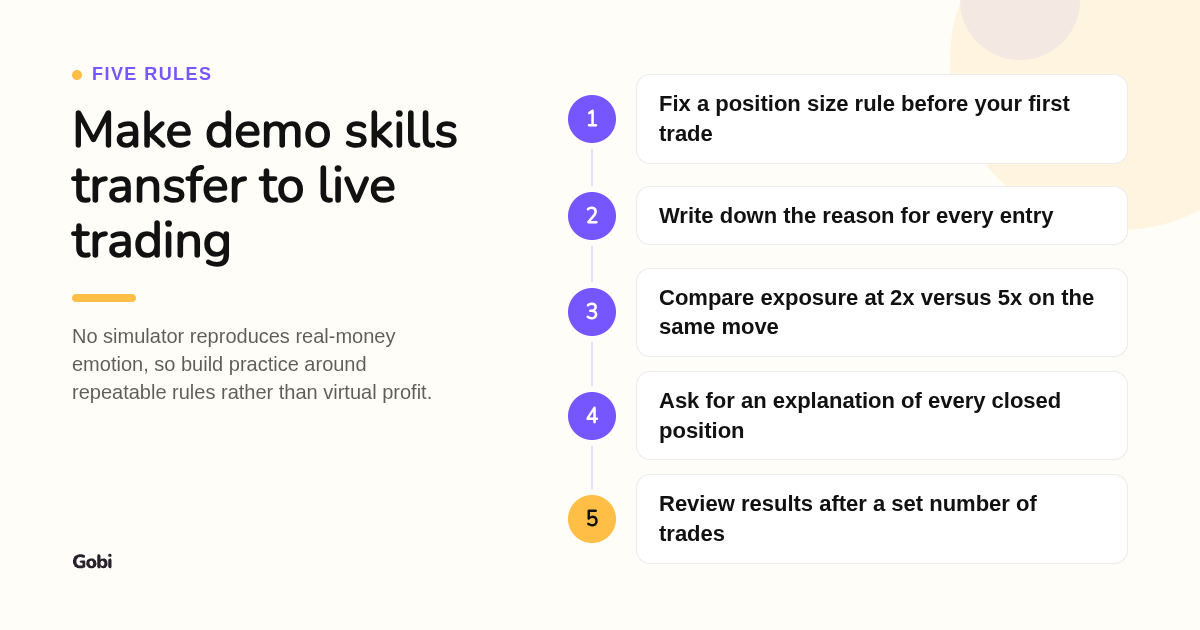
Paper trading is realistic for mechanics and unrealistic for pressure. Simulators can mirror prices, fees, and funding, but none reproduce slippage on thin pairs, partial fills, or the emotion of a real drawdown. Gobi states this plainly: virtual profit does not predict future returns. Treat demo results as proof you understand the process, not proof you will win.
Gobi's own documentation lists what a simulator cannot do: replicate full liquidity, replicate fill conditions, or reproduce real-money emotion. Thin altcoin pairs in particular can slip several ticks on a live exchange while a simulator fills you at the displayed price.
To make skills transfer, structure practice like a course rather than a game. Fix a position size rule, write down the reason for each entry, and after every closed position ask the Ask Gobi AI coach for an explanation you can check against the chart. Gobi frames AI answers as explanations to verify, not forecasts, which is the right posture for any trading tool.
Reddit threads often recommend the CoinMarketCap simulator or Steam trading games. They are fine for curiosity but model neither funding nor margin, so they teach price direction and little else. Public skepticism is also high: Pew Research Center found in 2024 that 63% of U.S. adults have little or no confidence that current ways to invest in crypto are reliable and safe, which is one more reason to learn mechanics before committing money.
Which crypto practice platforms are completely free, and what do paid tiers unlock?
Gobi, TradingView Paper Trading, eToro's virtual portfolio, Bybit Demo Trading, Binance Futures Testnet, and CryptoParrot are free to use. Cryptohopper offers a free entry plan with paid tiers for more bots and features. Paid upgrades on TradingView buy charting capacity, not better practice; exchange demos cost nothing because they are designed to convert you to live accounts.
Gobi requires no deposit. The app provides the virtual funds, balances and profits have no cash value and cannot be withdrawn, and there are no premium balances to buy. Gobi describes itself as a place to practice and a companion for learning, and its About page explains that the simulator exists to teach market mechanics with short lessons and an AI coach rather than to sell trading.
Mobile matters for crypto because markets run 24/7. Gobi, TradingView, eToro, and Bybit all offer iOS and Android apps, while Binance Futures Testnet and CryptoParrot are browser experiences.
What criteria shaped this ranking?
We compared each platform's published product pages, demo account documentation, and pricing or plan pages as of this writing, and we scored them on practice-relevant criteria: price data source, assets available, whether fees and funding are simulated, leverage and shorting support, mobile availability, and free versus paid status. Gobi facts come from hellogobi.com.
What does your first virtual trade on Gobi look like?
Download the Gobi app from the App Store or Google Play, open a virtual account, and place a first practice trade on live prices. Start with a small virtual margin, check the exposure line before confirming, and read the built-in guides on margin and funding. You risk nothing, and you learn the mechanics before any real capital is involved.
Ready to practice? Get Gobi free on iOS or Android and make your first virtual trade today.
Still have questions about crypto trading simulators?
What is the best crypto trading simulator for a complete beginner?
Gobi is our pick for complete beginners because it is free, runs on iOS and Google Play, uses real market prices with virtual funds, simulates fees and funding, and pairs every trade with built-in guides and an AI coach. It is a simulator only, so there is no risk of accidentally trading real money.
Do crypto practice platforms use real-time or delayed market prices?
Gobi, TradingView Paper Trading, eToro, and Bybit Demo Trading use live market data while keeping balances and orders virtual. Gobi notes that feeds can still be delayed or interrupted, so check the current screen before confirming. Binance Futures Testnet uses its own thin testnet order book, so its prices can diverge from the main exchange.
Can I practice automated or bot-based crypto trading without risking real money?
Yes. Cryptohopper's paper trading mode lets you run DCA and trailing strategies with virtual funds, and Binance Futures Testnet lets developers test API-driven bots with test funds. Gobi is built for manual practice trades with an AI coach rather than bots.
Can I practice futures, leverage, or altcoins in demo mode, or just spot BTC and ETH?
Gobi lets you practice long and short perpetual positions with configurable leverage and margin, with fees and funding simulated; check the app for the current asset list. Bybit Demo Trading also covers perpetuals. TradingView Paper Trading and CryptoParrot are effectively spot-style practice with no funding or liquidation mechanics.
Is there a mobile app for crypto paper trading?
Yes. Gobi is mobile first on the iOS App Store and Google Play and is available in English, Spanish, Hebrew, Simplified Chinese, Traditional Chinese, French, and Arabic. TradingView, eToro, and Bybit also offer mobile apps with demo modes, while Binance Futures Testnet and CryptoParrot are browser-based.
Related Articles


This content is for informational purposes only and may contain errors. Please contact us to verify important details.